 PlotWalk
Measure your land in three taps.
Tap the corners on a satellite map, or walk the boundary with GPS. Get the area, the perimeter and a fence estimate on the spot.
Made for people who measure land for work
An acreage calculator for iPhone: tap the map or walk it
No account to create and no tutorial to sit through. Open the app, find your land, measure.
01
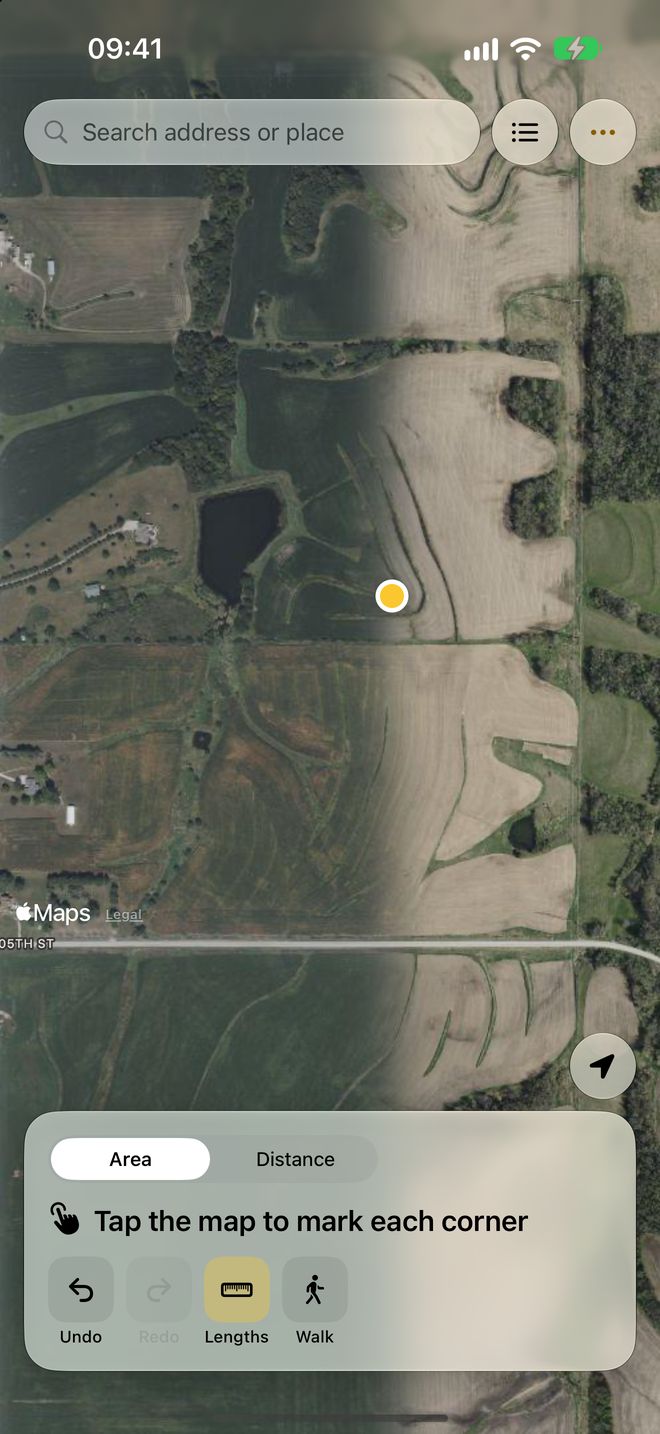
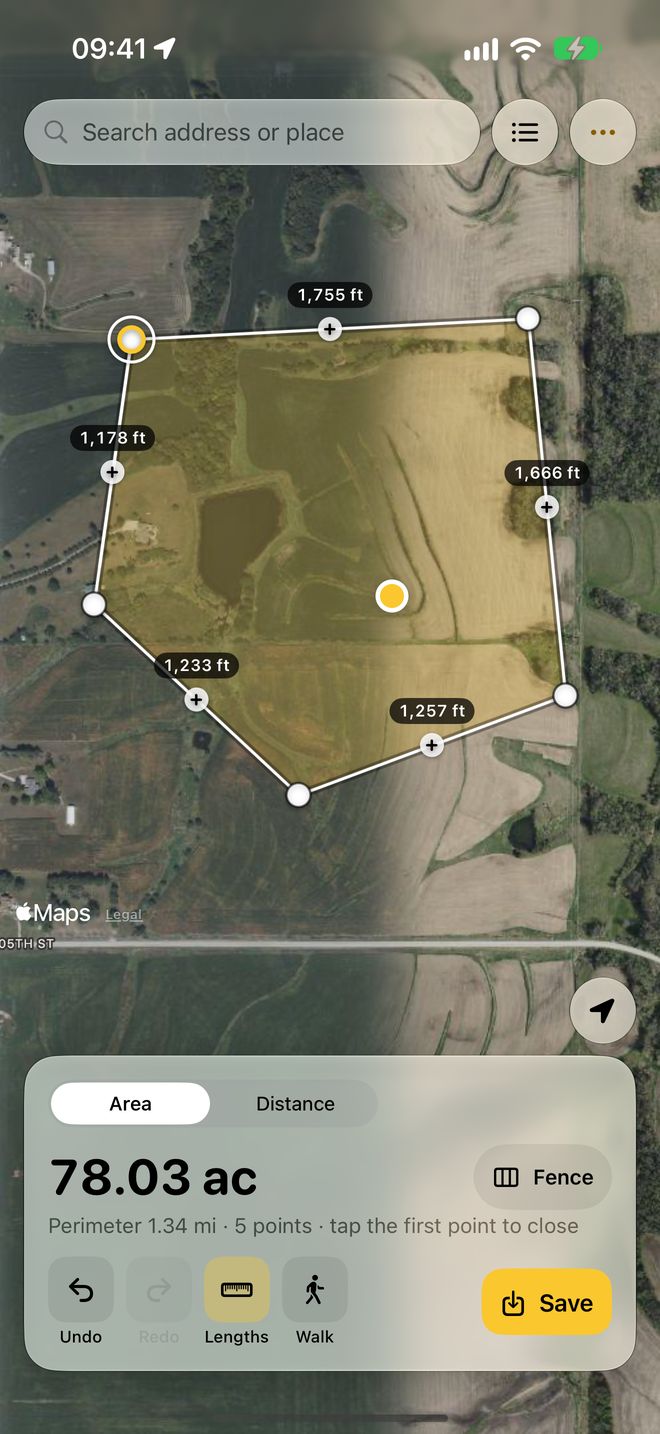
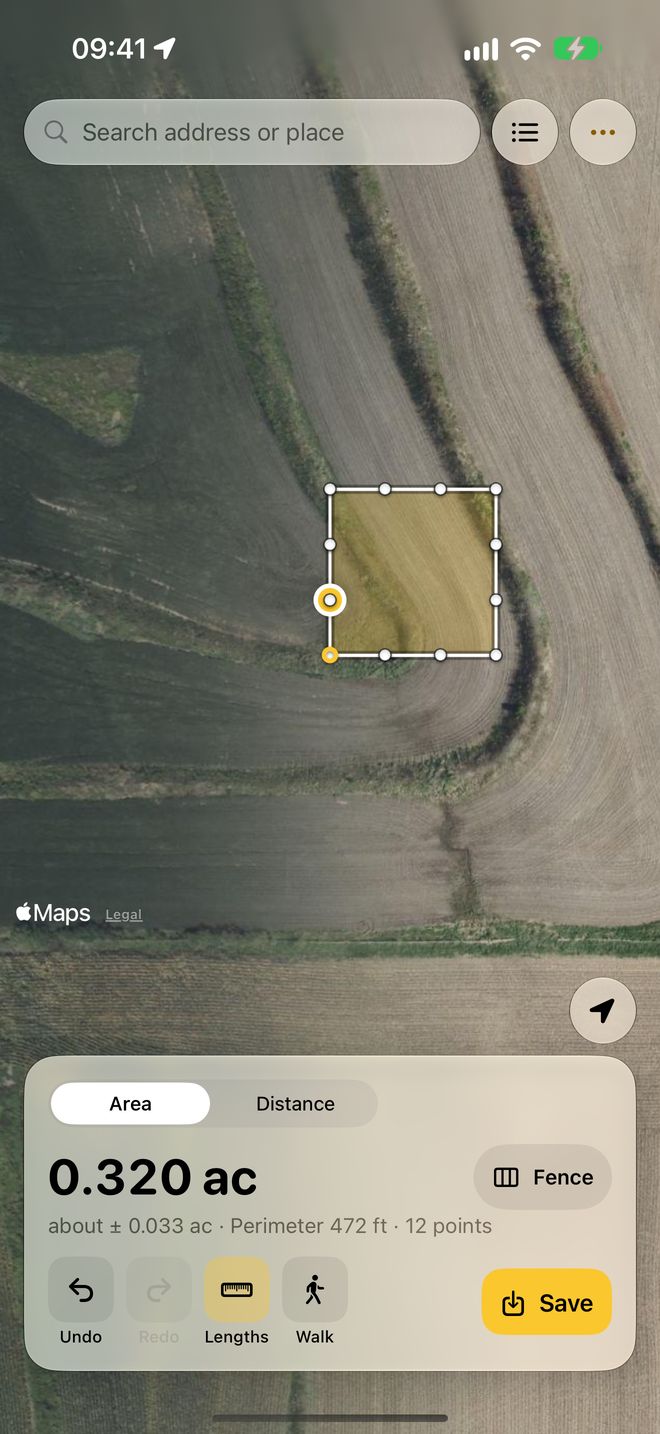
Tap the corners on the map
Search an address or use your location, then tap each corner. Area and perimeter update as you go. Drag a point to fix it, and undo anything.
02
Walk the boundary
Points are added as you walk, and poor GPS fixes are skipped. PlotWalk shows how far to trust the result, as "about ±".
03
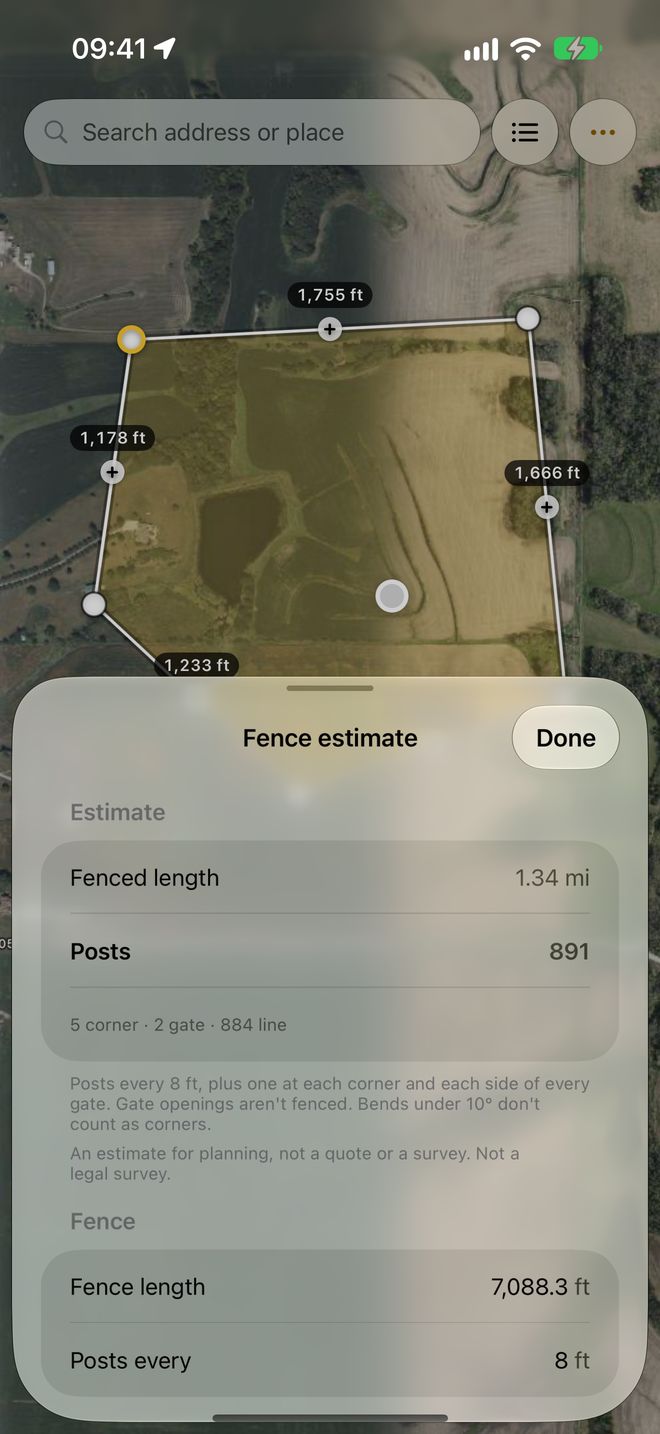
Get the fence estimate
Posts at your spacing, plus corners and gate posts, rails or wire, and an optional cost. The counting rule is written out so you can check it.
Your land data stays yours
Many measuring apps make you sign in, show ads and track you. PlotWalk does none of that.
- No account, no sign-in. There's no login screen anywhere.
- No ads, no tracking, no analytics. PlotWalk collects no data.
- Your measurements stay on your iPhone. Your location is never sent to us.
- Nothing lost. Unfinished measurements save themselves.
- A fair paywall. Never before your first measurement, and a reminder 2 days before a trial ends.
Complaints we read in reviews of other measuring apps, which PlotWalk avoids
Small app, honest numbers
- What it is
- An iPhone app that measures land area, perimeter and distance, by tapping corners on a satellite map or by walking the boundary with GPS.
- Platform
- iPhone, iOS 18 or later. Coming soon to the App Store.
- Price
- Free to measure. PlotWalk Pro: $5.99 a month, $39.99 a year with a 7-day free trial, or $79.99 once.
- Units
- Acres, hectares, square feet, square metres and square yards; feet, metres, yards, miles and kilometres.
- Exports
- Map image, PDF report, KML for Google Earth, GeoJSON and CSV.
- Privacy
- No account, no ads, no tracking. Measurements and location stay on the iPhone.
- Accuracy
- Estimates for planning, not a legal survey. Walked shapes show an "about ±" uncertainty.
- Made by
- LEX GLOBAL IT S.R.L., Romania. Support: support@plotwalk.app
Free to measure. Pro when it's your job.
Free
- Measure by tapping or walking
- Area, perimeter and distance in acres, hectares, square feet, metres and more
- Fence estimate
- Address search, undo and redo
- Up to 3 saved fields
- Share a map image (with a small PlotWalk badge)
PlotWalk Pro 7 days free
- Unlimited saved fields and folders
- PDF reports, KML for Google Earth, GeoJSON and CSV
- Map images without the badge
- Keep recording a walk with the screen locked
US prices. The app shows your local price before you buy. Cancel any time in your iPhone's Settings.
Good enough to plan with, and honest about it
Phone GPS is typically accurate to a few metres, and satellite imagery can be slightly offset or out of date. On a small lot, tapping corners you can see on the map is usually most accurate. On a large field, walking works well.
For the best walk: walk on the boundary line, hold the phone flat and out in front, and pause a moment at each corner.
Measurements are estimates for planning. Not a legal survey.For legal boundaries, sales or disputes, use a licensed surveyor.
Questions? Write to us.
Every message is read by a person, not a bot.
How do I restore Pro on a new or reinstalled iPhone?
Open PlotWalk › Settings › Restore purchases, or tap Restore on the Pro screen. Use the same Apple Account you bought with.
How do I cancel my subscription?
On your iPhone: Settings › your name › Subscriptions › PlotWalk, or PlotWalk › Settings › Manage subscription. Pro stays active until the end of the period you've paid for. Refunds go through Apple at reportaproblem.apple.com.
Where are my saved fields?
Tap the list button at the top right of the map. The number on it shows how many fields you've saved, and saved fields show as faint outlines on the map.
Walk mode isn't adding points. What's wrong?
PlotWalk skips GPS fixes worse than ±15 m. Step into open sky, away from buildings and trees, and give it up to 30 seconds. If Precise Location is off for PlotWalk (Settings › Privacy & Security › Location Services › PlotWalk), turn it on: approximate location is only accurate to kilometres.
Can I open my measurements in Google Earth or GIS software?
Yes, with Pro: export KML for Google Earth, GeoJSON for GIS tools, CSV for spreadsheets, or a PDF report with the map, area, perimeter and every point.
How do I measure acreage with my iPhone?
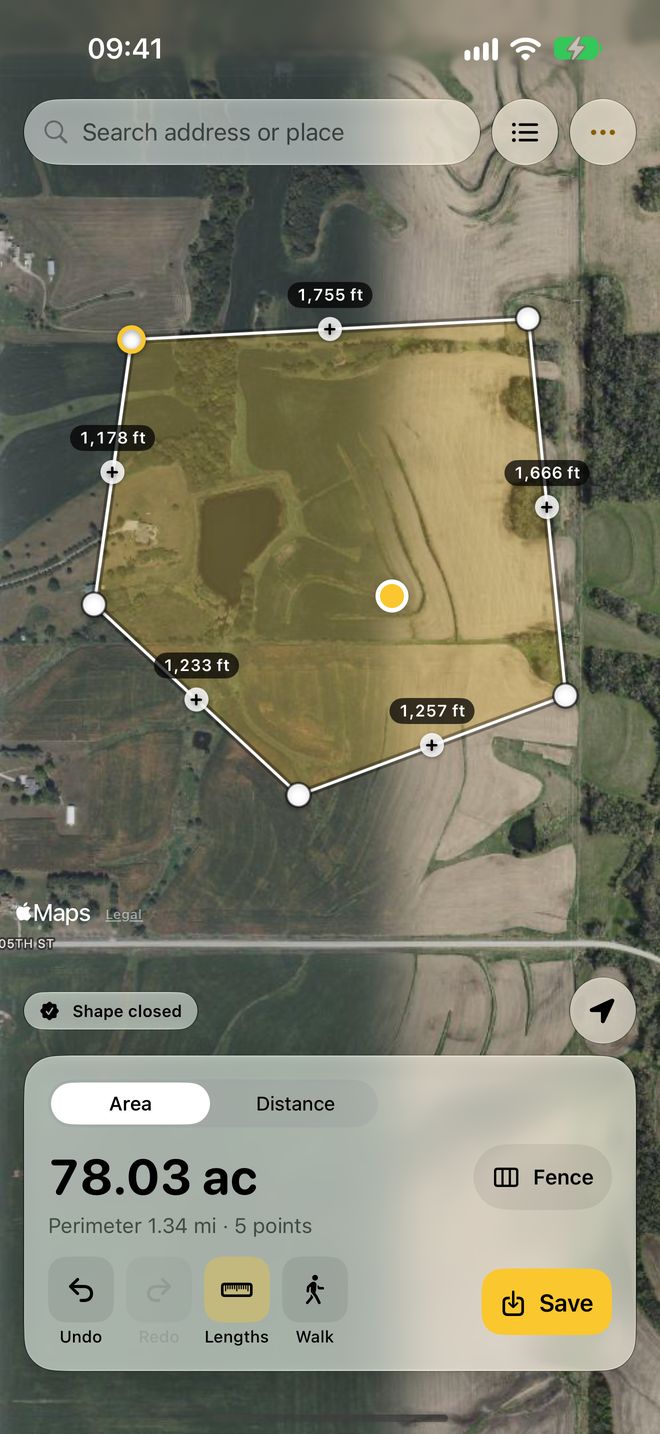
Open PlotWalk, search your address or use your location, and tap each corner of the land on the satellite map; the area appears in acres as you tap. Or tap Walk and walk the boundary: points are added as you go. Tap the first point to close the shape.
How many square feet are in an acre?
One acre is 43,560 square feet, about 4,047 square metres or 0.405 hectares. One hectare is 10,000 square metres, about 2.47 acres. PlotWalk shows areas in acres, hectares, square feet, square metres or square yards.
How many fence posts do I need?
PlotWalk places a post at every chosen spacing along each side (8 ft by default), plus one at every corner and one on each side of every gate; gate openings aren't fenced. Example: a square with four 250 ft sides at 8 ft spacing needs 31 line posts per side plus 4 corner posts, so 128 posts.
How accurate is measuring land with an iPhone?
Phone GPS is typically accurate to a few metres. On a large field that barely changes the area, but on a small house lot it can change it by 10 to 30 percent, so tapping corners you can see on the satellite map is usually more accurate for small lots. Walked shapes show an "about ±" estimate. Measurements are for planning, not a legal survey.
Does PlotWalk show property lines?
No. PlotWalk measures the shape you tap or walk; it doesn't show county parcel or property-line data. For official boundaries, check your county's records or hire a licensed surveyor.
Is PlotWalk on Android?
Not yet. PlotWalk is for iPhone.
Know your land, in acres and posts.
PlotWalk is coming soon to the App Store.
Coming soon to the App Store